



CC Lookup
What is it?
CC Lookup is a tool to verify embedded license information. MP3 files tagged with our CC Publisher application carry information about what license was chosen for the file and a public URL where the license can be validated. If you've downloaded an audio file from the Internet Archive or a P2P network like Morpheus that claims to be Creative Commons licensed, this application will verify that for you.
Installing CC Lookup
Installing the application is as simple as downloading the appropriate package below. Once downloaded simply double click the installer (Windows) or drag the application file to your Applications directory (Mac), then run the program.
Windows
CC Lookup 1.0.1.msi (Windows XP/2000 Installer Package)
Mac
CC Lookup 1.0.1.dmg (Mac OS X Disk Image)
Using CC Lookup
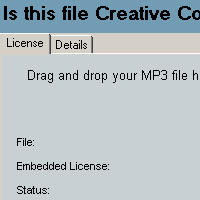
Step one: Start CC Lookup
Launch the CC Lookup application on your computer to get started. Then locate the file you would like verified, on your computer.

Step two: Drag an audio file into the application window
Drag the file into the blue area of the application window, and you should get immediate feedback that either verifies the file or tells you what went wrong.
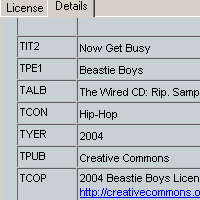
Step three: View details
If your file was verified, the details tab shows additional information embedded into the file.
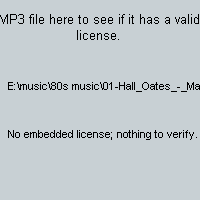
Viewing unverified files
If you drag a file that lacks license information or contains false information, the application will notify you immediately.
