To quickly get started with your own installation you can use one of these docker-compose files. download the file you want ( you can rename the file to docker-compose.yaml or use -f to specify the file )
docker-compose-traefik.yml is for people running docker ce/docker desktop
open a shell and cd to that folder you downloaded the file to, and type
docker-compose upSay you downloaded docker-compose-traefik.yml and you want to set your own project name.
docker-compose -f docker-compose-traefik.yml -p demo upThis will be the basis for everything else you do, for instance, if you need to update the images to the latest version, you would then use
docker-compose -f docker-compose-traefik.yml -p demo pullThen you can access the API/web on http://localhost.openiap.io You can access nodered on http://nodered1.localhost.openiap.io and RabbitMQ on http://mq.localhost.openiap.io
The first username and password you try to login as, will be created and made admin. This cannot be admin, root or other common administrate account names.
For almost everyone, you will want to start with docker-compose-traefik.yml This gives you a good starting point for testing it on your local machine, and play around with the settings. Once you understand how it works, and you know how to change the domain names it responds too, then you can push this to a server locally or to some cloud provider. If you have a public IP for the solution you can also have a look at docker-compose-traefik-letsencrypt.yml for a guide on how to use Lets Encrypt for certificates. For more complex setups where you don't have public IP or just need access to wildcard certificates there is also an example on how to request Lets Encrypt certificates using DNS01 in the docker-compose-traefik-letsencrypt-dns01.yml file.
docker-compose-toolbox.yml is for people running docker toolbox
docker-compose.yml is for developers who don't want to install mongoDB/RabbitMQ or an easy way to run one instance while debugging the other.
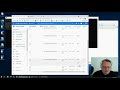
In this video the whole process is showed on ubuntu 18
For questions or help, feel free to join the community on the forum or rocket chat.
For help with running on kubernetes or self hosting, feel free to contact OpenIAP for a commercial support options.